Updating the Acct#, NAME CITY drop down selection on the “Board 2022” excel document.
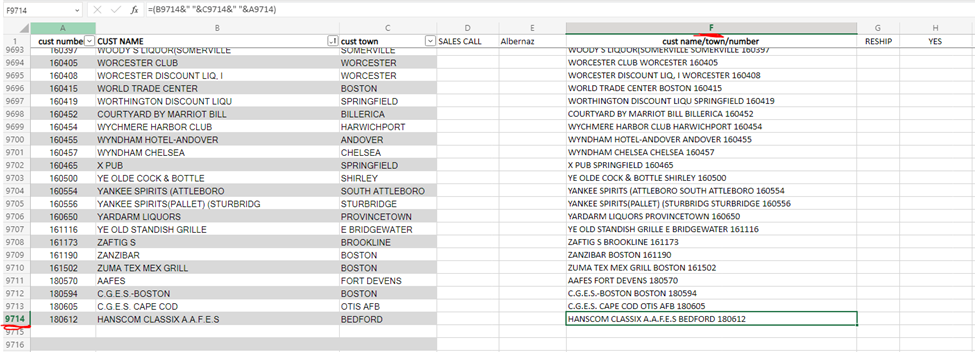
Step 1: After updating the Customer list on the DATA sheet, write down the last cell in Column F. For example, in the image below the last cell is F9714.
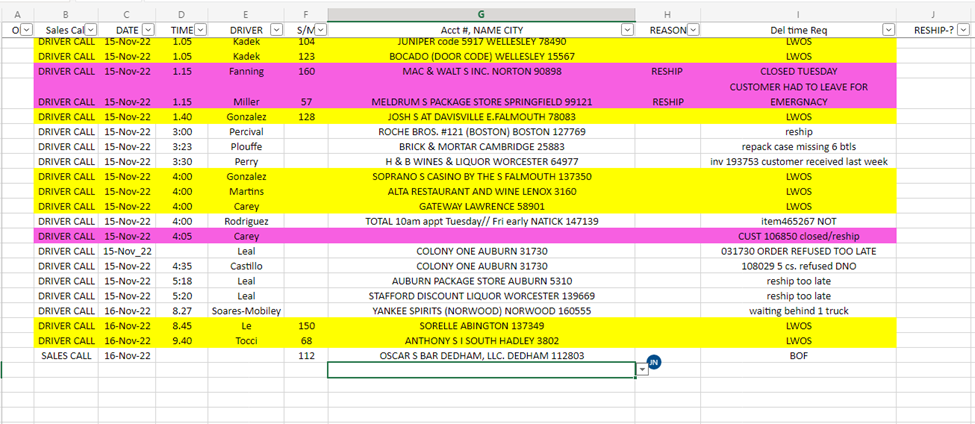
Step 2: Navigate to the BOARD live sheet. And select the last unused Cell in column G. See below for reference.
Step 3: In the Ribbon selection at the top of the document click the Data ribbon.
Step 4: Now click on the Data Validation button.

Step 5: In the Data Validation Window that opens up you will see a field called Source with something similar to ='DATA '!$F$1:$F$8890 typed into it. Now reference back to the number you wrote down in Step 1. And replace the number at the end of this text with the number you wrote down. And Click Ok
* For our example we wrote down F9714, so the new text in the field called Source will be ='DATA '!$F$1:$F$9714
Step 6: Now for the last step you will need to fill down to update the columns below this. To do so press Ctrl-Shift-Down Arrow on your keyboard then press Ctrl-D on the to copy the top cell in the selection to the rest of the selected cells.
0 Comments